Student tool · Live project
NoClash
From timetable images to a schedule students can check.
What I brought to the project
I brought timetable interpretation, editable course data and clash checking into one planning workflow, so students can start with the timetable they already have instead of entering every class by hand.
What the application delivers
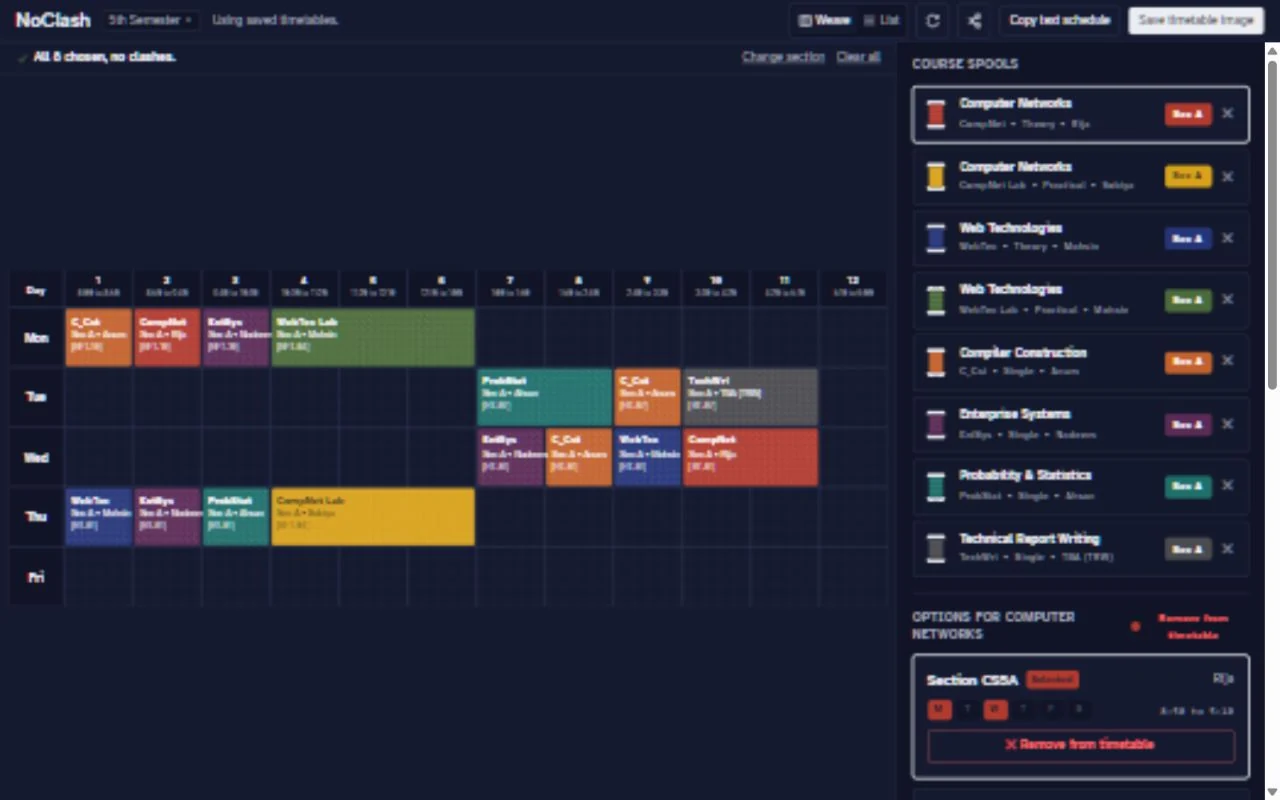
The resulting planner supports weekly and day-by-day views, shareable schedule selections and high-resolution image export. Planning can continue with saved data through an offline-capable application shell.
- Review and correct extracted course data
- Compare sections and theory, lab or tutorial components
- Explain overlaps and inspect weekly or daily schedules
- Share selections by URL and export a timetable image
Engineering decisions
AI assists with reading inconsistent timetable documents. Reviewable structured data feeds deterministic client-side clash checks, keeping conflicts explainable rather than asking a model to decide them.
Versioned static JSON and Zod validation provide a consistent data format. Device-local state includes migration support; compact Base64URL selections make schedules shareable without a mandatory account.
A local visual authoring studio and data-validation scripts support updates separately from the student planning interface.
The problem
University timetables arrive as photos, screenshots, scans and PDFs. Students have to identify sections, copy class details and compare overlapping times before they can plan a semester.
The approach
Visual timetable input becomes structured courses, sections, instructors, rooms, days and time slots. Students review and correct the extraction, choose course components, and see specific explanations when classes overlap.
Scope and limitations
Extraction can misread blurry text, merged cells or abbreviations; review remains part of the workflow.
Based on the project README, reviewed 24 October 2026.
Have a similar problem to solve?
I’m open to backend and full-stack roles, and freelance projects.